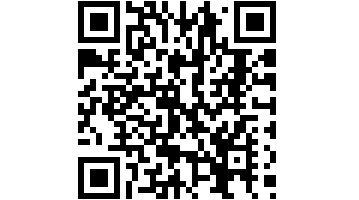
The goal of this game is to find one QR code after another until you finally reach your destination. QR codes are small images that a smartphone can scan using an (usually free) app. They usually contain a web address or a short piece of text.
Materials Needed
1 smartphone per group (3–6 people) with a QR code reader app installed (e.g., “QR Barcode Scanner” for Android smartphones). The appropriate app can be quickly found in the App Store or Google Play Store for Apple and Android devices by searching for the keywords “qr” and “code.”
Printed QR codes (see below)
Gameplay
At the start, the group is given a clue to the first QR code (e.g., “Near the train station kiosk”). The group then sets off to find the code at that location. Once they’ve found it, they scan it with their smartphones, and the decoded code provides them with a clue to the next code. For example, the decoded code might read “bike rack in front of XY School.” The group must then find the next code there. This continues until the group reaches the destination.
To ensure that every group really finds its own way (instead of simply following the other groups), a separate route should be created for each group. Alternatively, the groups must set off at staggered times.
How do I create a QR code?
1. Go to www.qrcode-generator.de.
2. Enter the text you want under "Enter Your Text."
3. Click "Generate QR Code."
4. Right-click on the generated code and either save it as an image file using "Save Image As" or copy the image and paste it into a Word document.
The QR codes can now be printed (and possibly laminated beforehand).
Notes
- Come up with a system so you don’t mix up all the codes. It’s always frustrating when the wrong code is posted in the wrong place, or when you have to scan dozens of others just to find the right one while putting up each code.
- Make sure to keep your text short. It shouldn’t be longer than 50 characters, including spaces. The more text you pack into a QR code, the harder it is for a smartphone to scan it.
- You can greatly improve readability by placing the QR codes on a background that’s as solid-colored as possible. This helps prevent “visual interference” as much as possible.